
Telegram channels reward consistency. Every post sends a notification to every subscriber, so a channel that posts at the same times each day keeps its audience, and one that goes quiet for a week loses it. A scheduler lets you prepare posts in one sitting and have them go out on time.
Most big social media tools still skip Telegram. Below are the five options that do schedule Telegram channel posts, from Telegram's own built-in feature to multi-platform tools. Competitor facts come from each vendor's own pages, linked in each section and checked on 11 November 2026.
The five options at a glance
| Tool | Free plan | Paid entry | Telegram | Other platforms |
|---|---|---|---|---|
| SocialAutoUpload | Yes: 10 publishes / month, unlimited channels | $5 / mo flat (150 credits) | Channel or group, through your own bot | Facebook, Instagram, YouTube, TikTok (no X, LinkedIn, Pinterest or Threads) |
| Telegram (built-in) | Yes, free | — | Schedule Message in any chat you can post in | None |
| Publer | Yes: 3 accounts, 10 scheduled posts each | Per account, see vendor site | Groups and channels | 13 networks incl. X (paid), LinkedIn, Pinterest, Threads |
| Postiz | No, 7-day trial; open source | $29 / mo (5 channels) | Channels and groups | Many, see vendor site |
| Zoho Social | Yes: 1 brand, 6 channels | Varies by region | Telegram Business account on Premium and Agency only | Facebook, Instagram, X, LinkedIn and more |
Sources, checked 11 November 2026: Telegram scheduled messages, Publer supported networks and plan limits, Postiz pricing and Postiz Telegram, Zoho Social pricing. SocialAutoUpload figures come from our pricing page. Prices change, so confirm on each site before you buy.
1. SocialAutoUpload: one Telegram channel, every platform
SocialAutoUpload treats Telegram as a full platform, not an add-on. You create your own bot with @BotFather, add it as an admin of your channel, and connect it on the Channels page (Lesson 5). From then on there are three ways to schedule and publish:
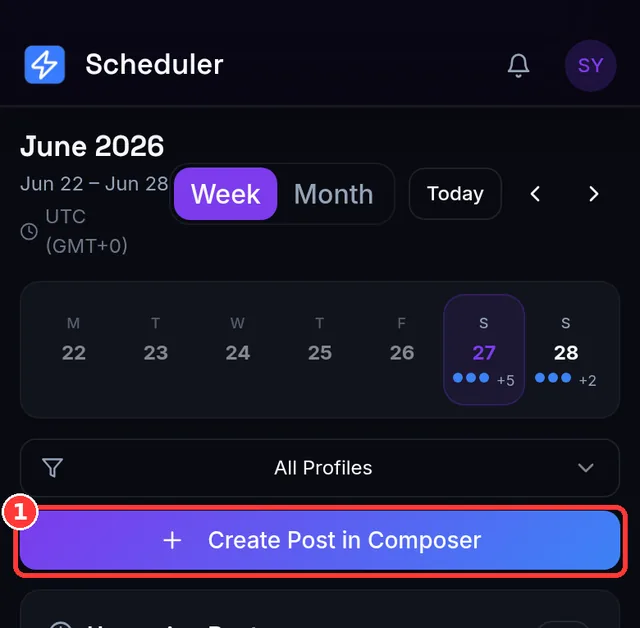
- Web composer or Android app: write once, pick a Publishing Profile, and schedule in your own local time. The same post goes to your channel plus Facebook, Instagram, YouTube and TikTok, or tap Publish Now.
- Message the bot: connect a bot to your private chat with it, then send
/schedule 18:00followed by your photo or video. Bot times use Thai time, UTC+7 (Lesson 12). - Post in the channel: every post that appears in the connected channel, whether a person, the channel or another bot posted it, is published to the other platforms in your profile.
That last point makes it the most AI-agent-friendly option here. An n8n or Make flow, or a custom GPT or Claude agent, only needs to post to a Telegram channel with its own bot. SocialAutoUpload handles Facebook, Instagram, YouTube and TikTok, with no API key or extra code. Read how to auto-post from an AI agent via Telegram for the full setup.
Pricing: Free gives 10 publishes a month with unlimited connected channels and no card. Flat plans are Creator $5 (150 credits), Pro $10 (400), Agency $30 (1,000) and Team $55 (2,500), with no per-channel or per-seat fees. One credit is one successful publish to one account. Files sent through the bot can be up to 2 GB.
2. Telegram's built-in scheduled messages
Telegram has had scheduling built in since 2019. In any chat where you can post, including your own channel, press and hold the Send button, choose Schedule Message and pick a date and time. Telegram then sends it at that time.
Good for: one channel, a handful of posts, zero cost and nothing to set up. Keep in mind: it's manual. Each post is scheduled by hand in one chat, it doesn't publish anywhere outside Telegram, and there is no calendar across several channels.
3. Publer
Publer's help center lists 13 supported networks, including Telegram groups and channels, Facebook, Instagram, LinkedIn, Pinterest, YouTube, TikTok, Threads, Bluesky and Mastodon. X (Twitter) is paid only. The free plan covers 3 social accounts with up to 10 scheduled posts each at a time. Paid plans are priced per account. Check Publer's site for current prices, which we could not confirm from the vendor page when writing this.
Where it's strong: breadth of networks, including X and LinkedIn, which SocialAutoUpload doesn't cover.
4. Postiz
Postiz is an open-source scheduler that calls itself agentic, with a hosted cloud version. Its Telegram page describes adding a bot to a channel or group and linking it with a /connect code. The cloud plans have no free tier: every plan starts with a 7-day trial, and Standard is $29 a month for 5 channels ($23 billed yearly), going up to Ultimate at $99 for 100 channels.
Where it's strong: you can read the code and self-host it if you have a server and want to run it yourself.
5. Zoho Social
Zoho Social's free plan covers 1 brand and 6 channels and includes content scheduling. Telegram is only on the top two plans: Premium and Agency include a Telegram Business account, and Free, Standard and Professional don't. Prices on the pricing page vary by region.
Where it's strong: it fits well if your company already uses other Zoho apps.
How to choose
- Only Telegram, only a few posts? Telegram's built-in scheduling is free and enough.
- Telegram plus TikTok, YouTube, Instagram and Facebook from one upload, at a flat price? SocialAutoUpload, with Publishing Profiles so one tap selects every account.
- Posting from an AI agent or automation? Choose a tool that reads your own channel. With SocialAutoUpload the agent posts to Telegram and the other platforms follow.
- Need X or LinkedIn too? Compare Publer and Zoho Social on their sites.
Whichever tool you pick, schedule around when your subscribers check their phones, usually the morning commute, lunch and evening. Our best time to post guide has a starting point per platform.
Frequently asked questions
Can you schedule posts in a Telegram channel for free?
Yes. Telegram's own Schedule Message feature is free: press and hold Send in your channel and pick a time. SocialAutoUpload's Free plan also schedules Telegram posts, 10 publishes a month, and can send the same post to Facebook, Instagram, YouTube and TikTok.
Which scheduler posts to Telegram and TikTok at the same time?
SocialAutoUpload, Publer and Postiz all list both Telegram and TikTok. SocialAutoUpload has a free plan with unlimited connected channels and flat paid plans from $5 a month.
Do I need my own Telegram bot?
With SocialAutoUpload, yes. You create a free bot with @BotFather in about a minute and connect it once. Your channel is only ever touched by a bot you own, and removing it stops everything.
Can an AI agent schedule Telegram posts for me?
Yes. An agent or automation can post to your channel with its own bot through Telegram's Bot API, at whatever time its own trigger runs. With SocialAutoUpload connected to that channel, each of those posts is also published to Facebook, Instagram, YouTube and TikTok.
What time zone does SocialAutoUpload use for Telegram schedules?
The web composer and Android app use your device's local time. Schedules sent to the bot with /schedule use Thai time (UTC+7), and the bot confirms the exact time it will use.
Telegram, Publer, Postiz, Zoho Social, Facebook, Instagram, YouTube and TikTok are trademarks of their respective owners. SocialAutoUpload is not affiliated with or endorsed by them.