Hootsuite and Buffer practically invented social media scheduling — but their pricing has moved steadily upmarket. Hootsuite no longer offers a free plan at all, and Buffer's free tier caps you at a handful of channels and a small scheduling queue. For a solo creator or a small business that simply wants to write posts, schedule them, and have them publish on time, the monthly bill is hard to justify.
If that sounds familiar, this guide is for you. SocialAutoUpload is a social media scheduler with a generous free plan: you connect your own Facebook, Instagram, YouTube, TikTok and Telegram accounts, then publish or schedule everything from one dashboard — with flat pricing and no per-seat fees.
Get started free →Why people look for a Hootsuite or Buffer alternative
The complaints we hear most often come down to three things:
- Price creep. What starts as an affordable subscription grows every time you add a channel, a teammate, or a feature that used to be included. Per-user pricing punishes you for growing.
- Free plans that aren't really usable. A free tier limited to two or three channels and a tiny queue is a trial, not a plan. Most creators need at least four platforms covered.
- Paying for features you never open. Social inboxes, listening dashboards and approval workflows are great for enterprise teams — but if you only schedule and publish content, you're subsidising features you don't use.
What you get with SocialAutoUpload's free plan
The free plan is designed to be genuinely useful, not a teaser:
- 10 publish credits and 512 MB of uploads every month at $0 — enough to post regularly, with no credit card required.
- Unlimited connected channels — connect all of your Pages, accounts and channels; you're never charged per connection.
- All five platforms included — Facebook, Instagram, YouTube, TikTok and Telegram from day one.
- AI captions and hashtags included — caption generation isn't a paid add-on.
- Scheduling included — queue posts days or weeks ahead on any plan.
When you outgrow the free credits, paid plans are flat: Creator $10, Pro $15, Agency $35 and Team $59 per month — the price never multiplies by team size.
The plans in numbers
| Plan | Price / month | Publish credits / month | Upload allowance | Publishing profiles |
|---|---|---|---|---|
| Free | $0 | 10 | 512 MB | 1 |
| Creator | $10 | 150 | 5 GB | 1 |
| Pro | $15 | 400 | 10 GB | 3 |
| Agency | $35 | 1,000 | 20 GB | unlimited |
| Team | $59 | 2,500 | 50 GB | unlimited |
Every plan — Free included — connects unlimited channels and uses AI captions at no extra cost (you bring your own Gemini, OpenAI or DeepSeek key). 1 credit = one successful publish to one account; failed publishes are never charged, and a skipped channel (say, a text post that can't go to YouTube) costs nothing. Live numbers are always on the pricing page.
Hootsuite vs Buffer vs SocialAutoUpload
| Feature | Hootsuite | Buffer | SocialAutoUpload |
|---|---|---|---|
| Free plan | No (trial only) | Yes, few channels | Yes — unlimited channels |
| Pricing model | Per user, per month | Per channel, per month | Flat, from $10/mo |
| AI captions | On paid tiers | Limited | Included on every plan |
| TikTok direct posting | Yes | Yes | Yes — official API |
| Import videos from a URL | No | No | Yes — paste a link |
| Data ownership | Their platform | Their platform | Yours — private & encrypted |
Platform-by-platform support
Facebook — publish photos, multi-photo albums, videos and Reels to your Pages, with per-post results and links you can check afterwards.
Instagram — schedule feed photos, carousels and Reels to Business or Creator accounts; captions and hashtags are set exactly as you wrote them.
YouTube — upload videos and Shorts with titles, descriptions, tags and custom thumbnails, on a schedule you control.
TikTok — videos post directly to your account through TikTok's official integration, with your chosen privacy and interaction settings. No reminder notifications, no watermarks.
Telegram — publish to channels and groups through your own bot, ideal for communities and announcement channels.
Features that save real time
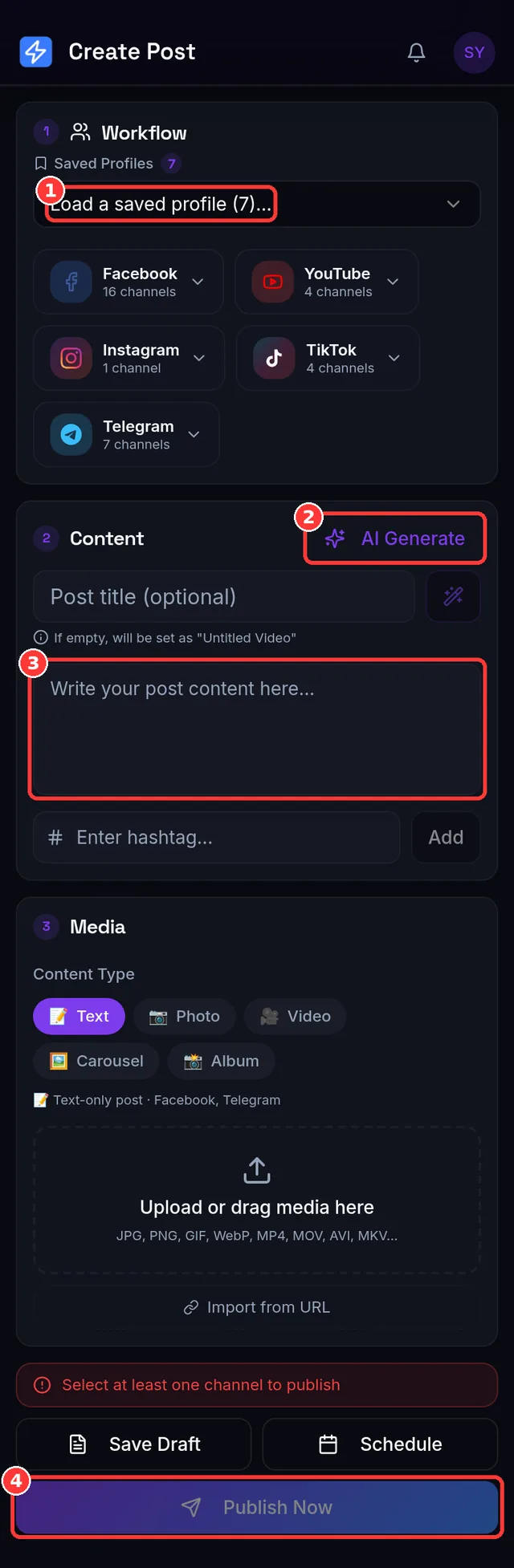
- One composer for everything. Write once, pick your platforms, and the post goes out everywhere — with per-platform compatibility checks before you hit publish.
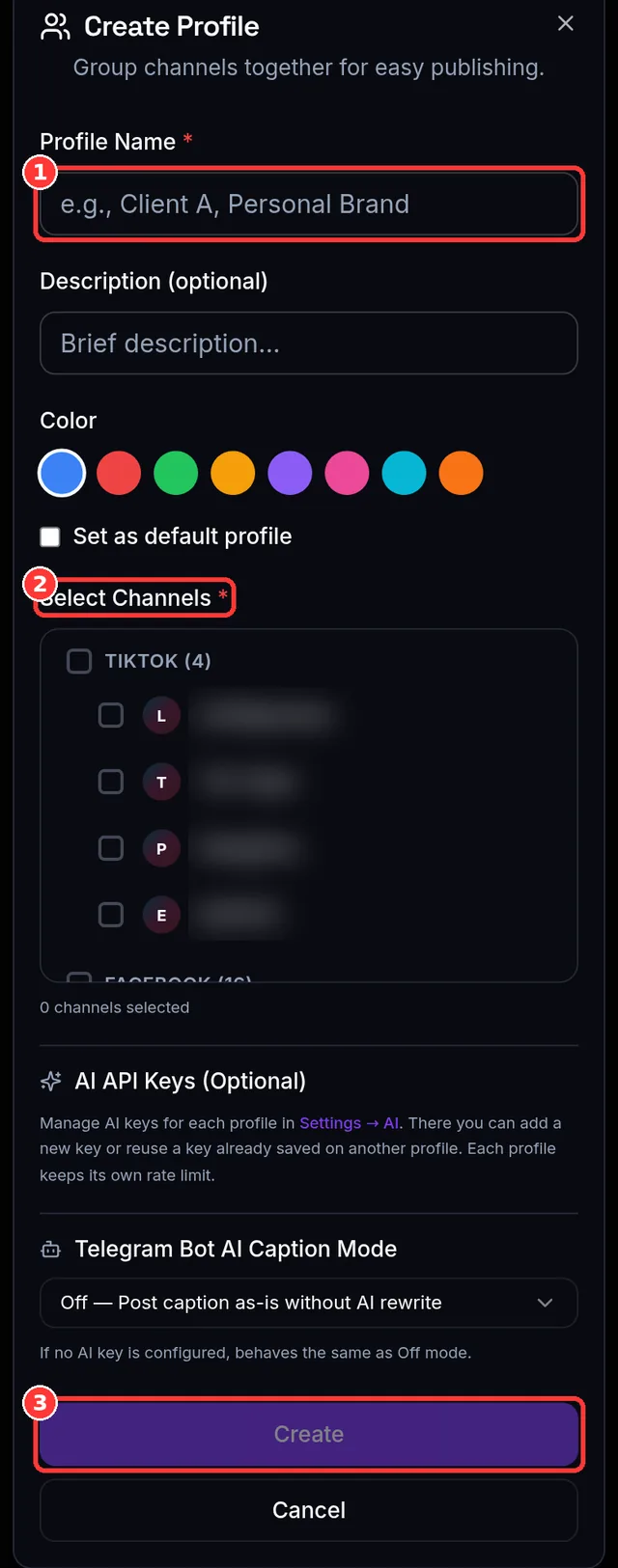
- Publishing profiles. Save channel combinations (say, "Brand A" = one Page + one IG + one TikTok) and reuse them with a click — perfect for multi-brand workflows.
- AI captions and hashtags. Generate platform-appropriate captions in seconds, then edit them to match your voice.
- Import from a URL. Paste a link to a video you own and turn it into a draft — no download-and-reupload dance.
- Large video support. Upload big files reliably with resumable, chunked uploads.
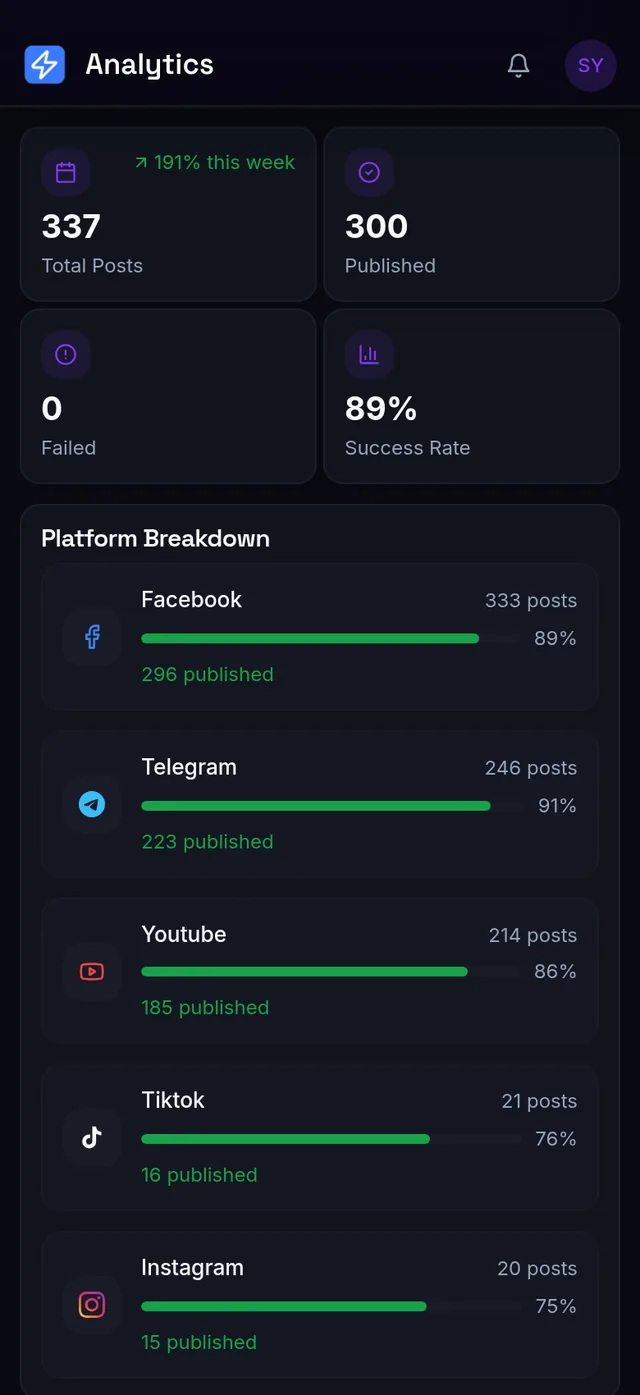
- Transparent usage. A usage dashboard shows exactly what you've published and what your plan includes — no surprise limits.
What it looks like
Also on your phone — two ways
The web app works on a phone browser and there's an Android app for the same account. The other route is Telegram: connect a free bot once and publish to every platform by sending the bot a photo or video with a caption — it replies with the links. Handy when you're away from a desk; the Telegram guide walks through it.
When Hootsuite or Buffer might still fit
Fair is fair: if your team needs a shared social inbox, brand-listening dashboards, or multi-step approval workflows, the enterprise suites earn their price. But if your actual job is creating content and publishing it consistently, those features mostly sit unused while the invoice grows. That's the gap SocialAutoUpload fills: the publishing core, done well, at a flat price.
Switching takes about ten minutes
- Create a free account — email and password, or Google sign-in. No card.
- Connect your channels — each platform uses its official login; you approve access and can revoke it any time.
- Recreate your queue — schedule your next week of posts in the composer (the AI can draft captions to speed this up).
- Cancel the old subscription — and keep the difference.
Frequently asked questions
Is there really a free plan? Yes — monthly publish credits, unlimited connected channels, all five platforms, no credit card required.
Are there per-user fees? No. Paid plans are flat-priced from $10/month, whatever your team size.
Can I manage multiple brands or clients? Yes — publishing profiles group channels per brand (Free and Creator: 1 profile, Pro: 3, Agency and Team: unlimited), and the Agency and Team plans are built for exactly this.
What exactly is a "publish credit"? One successful publish to one connected account. A post sent to Facebook + Instagram + TikTok is 3 credits; a failed or skipped channel costs nothing, and retrying the failed half of a post never re-charges the half that worked.
What happens to my data? Your posts, media and access tokens stay private and encrypted, and are never mined, shared or sold. Disconnecting a channel deletes its tokens.
Get started
If you're tired of overpaying for Hootsuite or Buffer and want full control of your social media publishing, give SocialAutoUpload a try — start free, no credit card required.
Create your free account →