On TikTok, consistency beats virality-chasing: accounts that post on a steady rhythm give the algorithm more chances to find their audience. The problem is that "post 1–3 times a day" collides with real life — which is why a free TikTok scheduler that genuinely auto-posts is such a big unlock.
SocialAutoUpload connects to your TikTok account through TikTok's official Content Posting API and publishes your videos directly at the times you choose. Start on the free plan — no watermark, no reminder notifications, and no third party owning your content.
Schedule TikToks free →Why not just use TikTok's built-in scheduler?
TikTok does have a native scheduler, but it comes with practical limits: it's only available when uploading from a desktop browser, it only works within a limited scheduling window, and it can't help you when the same video also needs to go to Instagram Reels and YouTube Shorts. A dedicated scheduler removes all three constraints — queue from anywhere, as far ahead as you like, to every platform at once.
Direct posting vs "reminder" apps
Many TikTok tools don't actually post for you — they send your phone a notification at the scheduled time, and you still have to open TikTok and publish manually. That's a to-do list, not automation. SocialAutoUpload uses TikTok's official direct post integration: the video uploads, processes and goes live on its own, and your dashboard shows the link to the live post when it's ready.
How TikTok scheduling works
- Connect TikTok. Create a free account and link TikTok through the official TikTok login. You approve access explicitly and can revoke it at any time.
- Upload your video. Vertical 9:16 MP4 works best. You can also paste a link to a video you already posted elsewhere and import it directly.
- Write the caption — or generate one with the built-in AI, hashtags included, then edit to taste.
- Choose your settings. Pick the privacy level (public, friends, only me) and interaction options like comments — per video, before it posts.
- Set the time. Publish now or schedule for later; the video posts automatically and you get the live link when it's up.
What it looks like
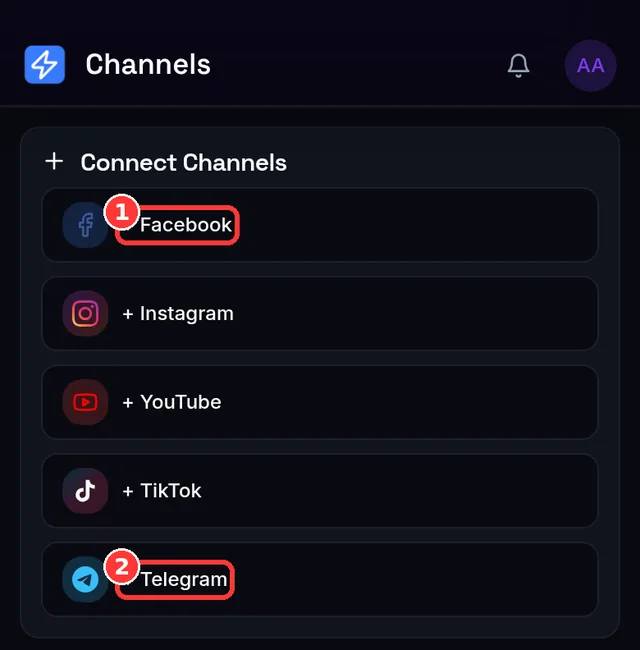
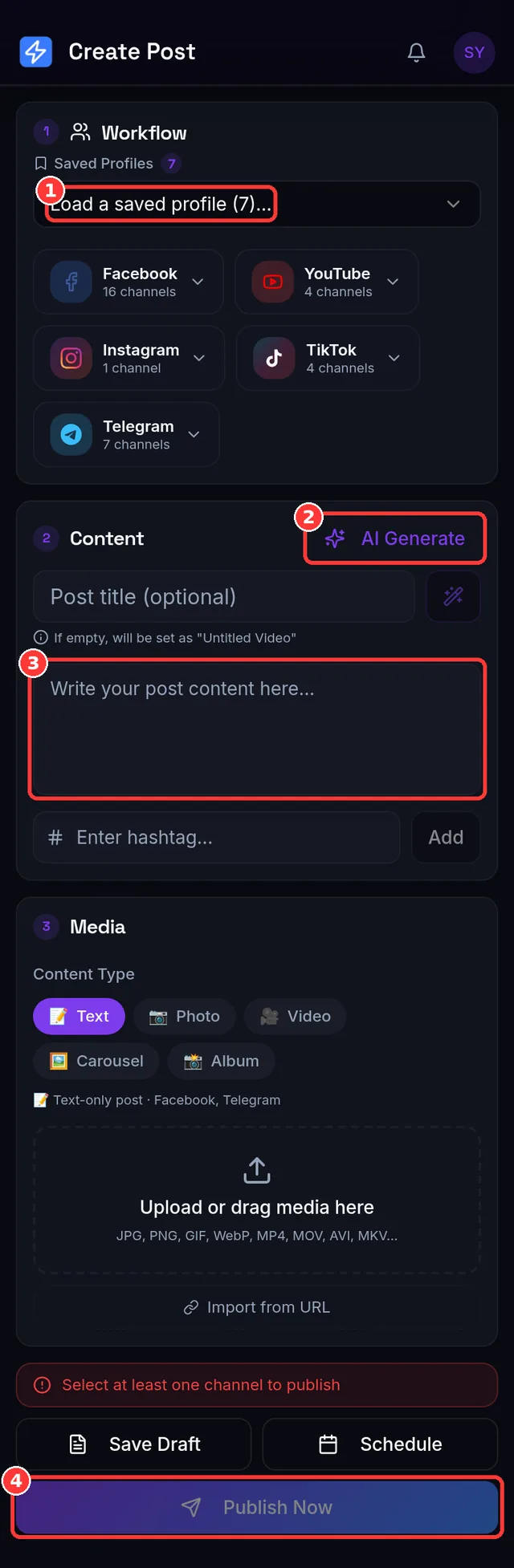
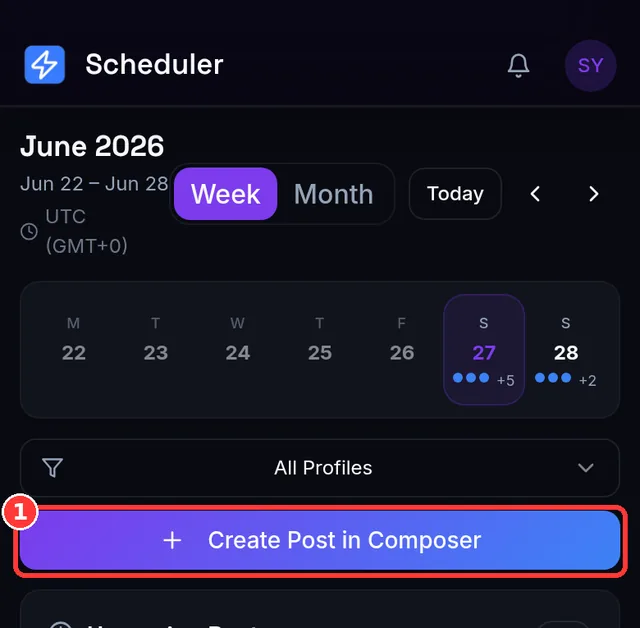
Three TikTok-specific things to know before your first post
- The content declaration. TikTok requires publishing tools to ask you to confirm each video's content settings. It's a single checkbox in the composer — until you tick it the Publish button explains: "Confirm the TikTok content declaration above to publish".
- Your link may show up a minute late. When a TikTok finishes publishing, TikTok often hasn't indexed it yet, so the public link isn't ready. The app keeps checking for about a minute and a half and swaps in the real link; if TikTok is slow you get a working generic link first. Normal TikTok behaviour, not a failure.
- TikTok is video-only. Photos and text posts can't go to TikTok through any publishing tool. If a post has no video, the TikTok channel is simply skipped (the composer tells you before you publish) — the same post can still go to Facebook, Instagram or Telegram.
How the schedule actually runs
- Your local time. The schedule dialog uses your device's timezone and shows it (e.g. Asia/Yangon (GMT+6:30)), so "18:00" means 6 PM where you are.
- About once a minute. Due posts are picked up roughly every 60 seconds — a 18:00 post goes out within a minute of 18:00, not to the second.
- Nothing is lost at a limit. If a scheduled post comes due when you're out of monthly credits, it isn't failed — it moves itself to the 1st of next month (or to tomorrow for a daily cap) and waits there on the Scheduler.
- Nothing to keep open. Publishing runs on our servers; your phone and browser can be off.
Schedule from your phone — or straight from Telegram
The web app works on a phone browser, and there's an Android app for the same account. If you live in Telegram, connect a free bot once (guide) and simply send the video with its caption to the bot: it publishes to TikTok and your other channels and replies with the links. Send /schedule 18:00 first to queue it instead (bot schedules use Thai time, UTC+7).
Video requirements that actually trip people up
- Format: standard MP4 or MOV files upload cleanly; vertical 9:16 fills the screen and performs best.
- Frame rate: TikTok rejects videos with unusual frame rates (a common surprise with some phone-camera night modes). SocialAutoUpload detects this and automatically re-encodes the video into an accepted range, so the upload succeeds instead of failing silently.
- Daily limits: TikTok enforces its own per-account posting limits. Spacing posts across the day is both safer and better for reach than dumping several at once.
What the free plan includes
- Monthly publish credits at $0 — no credit card required to start.
- Direct posting — real auto-publish through the official API, not reminders.
- AI captions & hashtags — free on every plan; you bring your own Gemini, OpenAI or DeepSeek key.
- All five platforms — the same composer posts to Instagram, YouTube, Facebook and Telegram too.
In numbers: the Free plan gives you 10 publish credits and 512 MB of uploads every month, with unlimited connected channels. Outgrow it and flat plans start at $10/month — never per-account pricing.
| Plan | Price / month | Publish credits / month | Upload allowance | Publishing profiles |
|---|---|---|---|---|
| Free | $0 | 10 | 512 MB | 1 |
| Creator | $10 | 150 | 5 GB | 1 |
| Pro | $15 | 400 | 10 GB | 3 |
| Agency | $35 | 1,000 | 20 GB | unlimited |
| Team | $59 | 2,500 | 50 GB | unlimited |
Every plan — Free included — connects unlimited channels and uses AI captions at no extra cost (you bring your own Gemini, OpenAI or DeepSeek key). 1 credit = one successful publish to one account; failed publishes are never charged, and a skipped channel (say, a text post that can't go to YouTube) costs nothing. Live numbers are always on the pricing page.
A simple TikTok growth routine
- Post 1–3 times a day at consistent times. Batch-record on one day, schedule the whole week in one sitting.
- Hook in the first two seconds. Assume viewers decide instantly; put the payoff or the question up front.
- Repurpose everything. The same vertical video belongs on Instagram Reels and YouTube Shorts — schedule all three from one composer instead of uploading three times.
- Check what worked weekly. Double down on the formats and posting times that got watched to the end.
Frequently asked questions
Is auto-posting allowed by TikTok? Yes — TikTok provides an official Content Posting API for approved integrations, which is exactly what SocialAutoUpload uses. No unofficial tricks, no risk to your account from unapproved automation.
Will videos get a watermark? No. Your file uploads as-is through the official API.
Can I schedule private posts? Yes — set the privacy level per video, including "only me" if you want to review before making it public.
How many TikToks can I schedule per day? As many as your plan's credits allow, within TikTok's own per-account daily limits. If TikTok's cap is hit you'll see TikTok's own message — "You have reached your posting limit. Please try again later." — and can simply retry later.
Do I have to keep my phone or browser open? No. Scheduled videos upload and publish from our servers at the time you set.
Does the same video also work as a Reel or a Short? Yes — tick Instagram and YouTube in the same composer. A vertical video of 60 seconds or less publishes as a YouTube Short automatically, and Instagram publishes videos as Reels (trimmed to 90 s if longer).
Create your free account →