Every YouTuber knows the drill: export the video, open YouTube Studio, upload, wait, fill in the title, paste the description, upload the thumbnail, set visibility… for every single video. YouTube's built-in scheduler helps with the publish time, but you still do the whole upload ritual manually — and separately from every other platform you post to.
If you'd rather schedule YouTube uploads automatically — batch a week of videos in one sitting and let them go out on their own — that's exactly what SocialAutoUpload does. It connects to your channel through YouTube's official API, uploads your video with the metadata you set, and publishes at the time you choose. Start on the free plan.
Schedule YouTube uploads free →Everything you can set per video
- Title and description — written by you, or drafted by the built-in AI and edited to your voice
- Tags — added exactly as you specify
- Custom thumbnail — upload your own image instead of an auto-generated frame
- Publish time — post now, or schedule days and weeks ahead
The video lands on your channel exactly as if you had uploaded it in YouTube Studio — because it goes through YouTube's official upload API with your own authorized account.
Step by step: your first scheduled upload
- Create a free account — email/password or Google sign-in, no credit card.
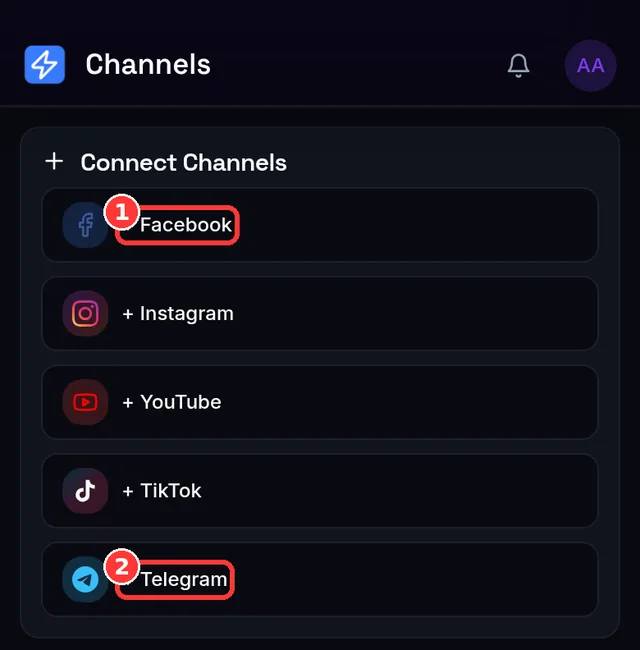
- Connect your YouTube channel. Click Connect on the Channels page and approve access with your Google account. You can revoke this any time, either in-app or from your Google account's permissions page.
- Upload your video file. Large files are handled with chunked, resumable uploads, so a flaky connection doesn't mean starting over.
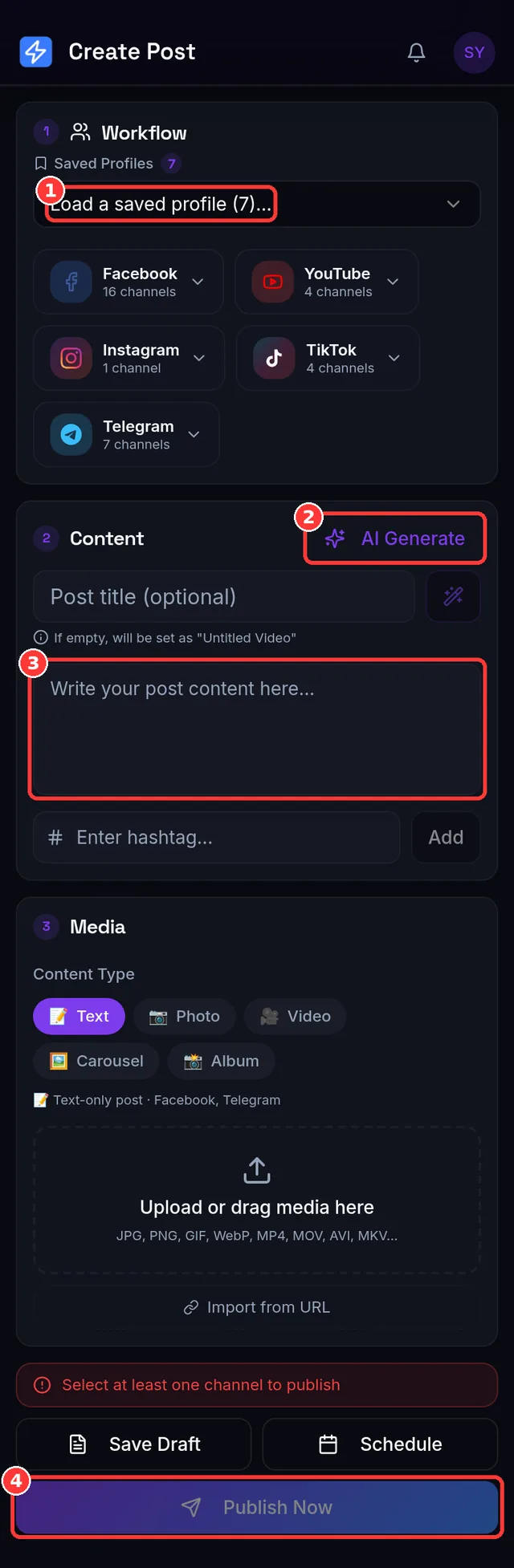
- Add the metadata — title, description, tags and a custom thumbnail. The AI can draft a title and description from your notes if you're staring at a blank field.
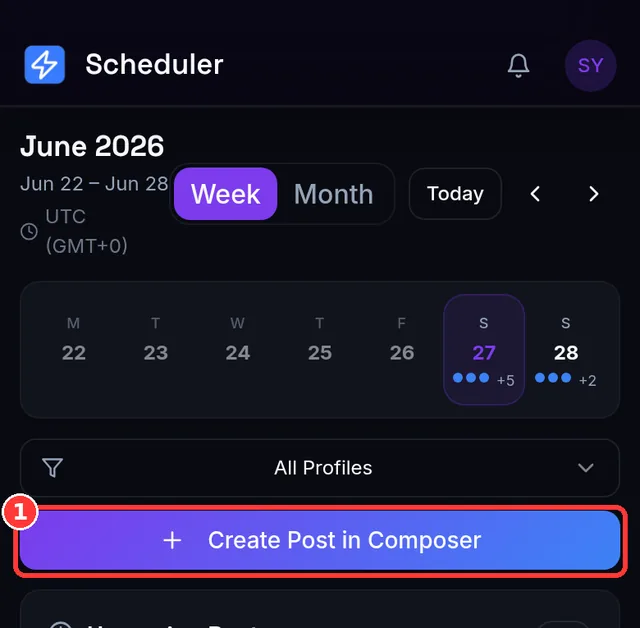
- Pick the publish time and schedule. At that exact time the video uploads and goes live; your dashboard shows the result with a direct link to the published video.
Connecting YouTube: the one thing not to skip
Google's consent screen asks for four permissions — uploading, managing and reading your channel, and reading its analytics. Approve all four; uploads don't work with a partial grant. Google may also ask you to confirm even if you've signed in before: that's the lasting "refresh" permission which lets the app keep publishing without asking you to log in every hour. Connecting brings in the first YouTube channel on that Google account — run several channels under different accounts? Connect each one separately. If Google ever revokes access (password or permission change) a post fails with "YouTube authentication expired" and the channel shows a Needs reconnect badge; one click on Connect restores it with your posts and settings intact.
Shorts, titles and thumbnails — how the app decides
- Shorts are automatic. A video of 60 seconds or less publishes as a Short; anything longer publishes as a regular video. (For a specific video where Short-vs-video matters, Publish Now is the most predictable path.)
- A title is required — leave it blank and the app fills one in rather than failing the upload.
- Custom thumbnails must be under 10 MB; the option only appears when YouTube is selected and a video is attached. Leave it off and YouTube picks a frame.
- Files up to 1 GB, in MP4, MOV, AVI, WebM, MKV and more. Unusual files are converted to a standard MP4 in the background before publishing.
How the schedule actually runs
- Your local timezone — the schedule dialog shows it (e.g. Asia/Yangon (GMT+6:30)).
- About once a minute — due uploads are picked up roughly every 60 seconds and the video uploads and goes live then. Results, including the direct link, land on the Posts page and (optionally) in your Telegram notifications.
- Deferred, not failed — an upload that comes due when you're out of monthly credits moves itself to the 1st of next month; one that hits a daily cap moves to tomorrow. Check the Scheduler and it's waiting at the new time.
- Edit without un-scheduling — open a queued post in the composer, change the title or thumbnail, save: it keeps its slot.
Why batching beats uploading one by one
The biggest gain isn't the minutes saved per upload — it's the workflow change. Creators who batch typically record and edit several videos in one block, then schedule them across the coming weeks. That gives you:
- A consistent channel rhythm. Subscribers (and YouTube's recommendation system) respond to channels that publish on a predictable schedule.
- A buffer for real life. A two-week queue means a busy week doesn't turn into a silent channel.
- Better publish timing. Queue uploads for the hours your viewers actually watch (see our best-times guide) — even if that's 5am your time.
Shorts: one video, three platforms
If you make Shorts, you're almost certainly posting the same vertical video to TikTok and Instagram Reels too. Doing that natively means three uploads, three captions, three schedules. In SocialAutoUpload it's one composer: upload the video once, tick YouTube + TikTok + Instagram, and each platform gets the right caption and settings. That alone typically saves creators 15–20 minutes per video.
Importing videos from elsewhere
Already have content hosted somewhere else? Paste the link to your own video and SocialAutoUpload imports it as a draft you can edit and schedule; the title and description are pre-filled from the source where available. No download-to-phone, re-upload-to-YouTube shuffle. Imports are capped at 500 MB per file and count toward your monthly upload allowance like any upload.
What it costs
The Free plan includes 10 publish credits and 512 MB of uploads a month with unlimited connected channels — enough to run a steady weekly schedule at $0. One credit is one successful publish to one account, so a Short sent to YouTube + TikTok + Instagram is 3 credits; failed publishes are free. Higher volume? Flat plans start at $10/month, with no per-channel or per-user fees. Your channel access tokens stay encrypted and private, and disconnecting your channel deletes them.
| Plan | Price / month | Publish credits / month | Upload allowance | Publishing profiles |
|---|---|---|---|---|
| Free | $0 | 10 | 512 MB | 1 |
| Creator | $10 | 150 | 5 GB | 1 |
| Pro | $15 | 400 | 10 GB | 3 |
| Agency | $35 | 1,000 | 20 GB | unlimited |
| Team | $59 | 2,500 | 50 GB | unlimited |
Every plan — Free included — connects unlimited channels and uses AI captions at no extra cost (you bring your own Gemini, OpenAI or DeepSeek key). 1 credit = one successful publish to one account; failed publishes are never charged, and a skipped channel (say, a text post that can't go to YouTube) costs nothing. Live numbers are always on the pricing page.
Frequently asked questions
Is this allowed by YouTube? Yes — uploads go through YouTube's official Data API with your own authorized Google account, the same mechanism professional tools use.
Can I schedule Shorts? Yes, Shorts are just vertical videos — and you can cross-post them to TikTok and Reels in the same step.
What about thumbnails? Custom thumbnails are supported — set one per video when composing.
Do scheduled uploads perform worse? No. YouTube treats an API upload like any other upload; performance depends on your content, packaging and timing.
Do I have to keep my computer on? No — the upload and publish run on our servers at the scheduled time.
Can I see how the videos perform? Yes — Creator plans and up include a YouTube analytics page (views, watch time, subscribers gained, likes, comments) for the connected channel, with YouTube's usual delay of up to 48 hours.
Create your free account →