πŸ“± SocialAutoUpload for Android

Publish photos and videos to Facebook Pages, Instagram, YouTube, TikTok and Telegram from your phone. Same account, same channels and same credits as the website.

Get it on Google Play

Free download Β· Android 7.0 or newer Β· Google Play and the Google Play logo are trademarks of Google LLC.

On iPhone or iPad? Everything works in your browser β€” open the web app.

QR code that opens the SocialAutoUpload app on Google Play

Reading this on a computer? Scan to install

Point your phone's camera at the code and it opens the Google Play listing. Or type socialautoupload.com/android-beta into your phone's browser β€” it takes you to the same page.

Open Google Play

What you can do in the app

πŸ“€

Publish everywhere at once

Connect your accounts once. One caption, one upload, every channel β€” Facebook Pages, Instagram, YouTube, TikTok and Telegram.

πŸ—“οΈ

Schedule for later

Pick a date and time, then see the result of every publish, per platform, in your Posts list.

πŸ”—

Import from a link or Telegram

Paste a link to media you posted elsewhere, or send a file to your own Telegram bot and let it publish for you.

πŸ””

Know when it's done

Optional push notifications tell you when a post is live or needs attention.

πŸ‘₯

Publishing profiles

Save channel combinations for different brands or clients and reuse them in one tap.

πŸ“Š

Clear usage view

See what you used this month and when it resets. Free plan included; paid plans are available as subscriptions.

Get started in three steps

  1. Install the appTap Get it on Google Play above, or scan the code from your phone.
  2. Sign inUse the same e-mail or Google account as on the website. New here? Create a free account in the app.
  3. Connect channels and publishAdd your pages and channels under Channels, then open the composer and post or schedule.

A look inside

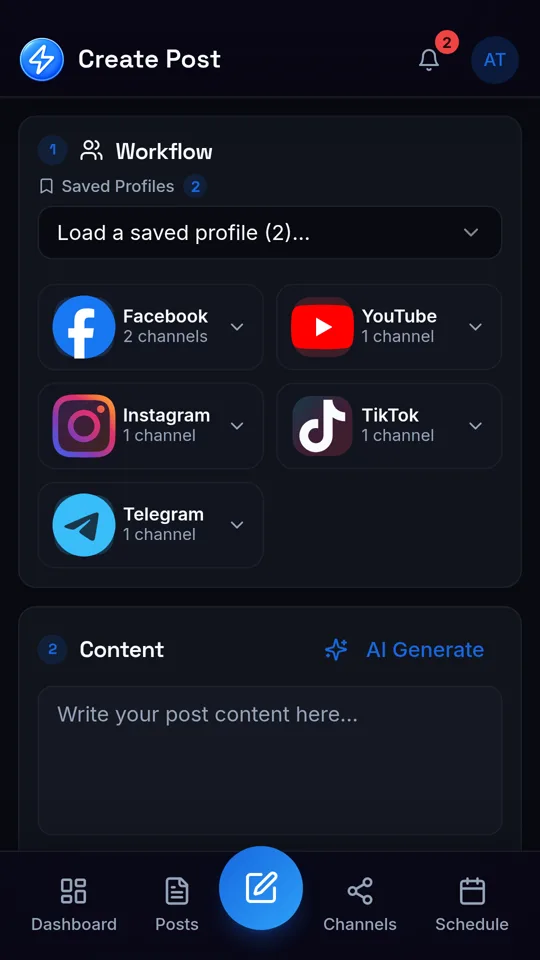
Composer screen of the SocialAutoUpload Android app with Facebook, YouTube, Instagram, TikTok and Telegram channels selected
Compose once, choose your channels
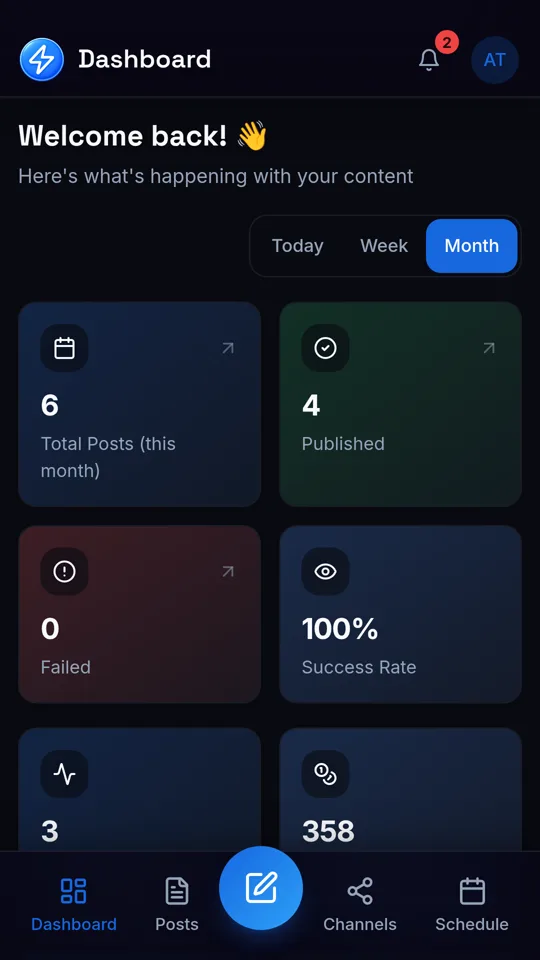
Dashboard of the SocialAutoUpload Android app showing recent posts and usage
Dashboard with recent posts and usage

Good to know

Take your channels with you

Install the app, sign in, and publish from wherever you are.

Get it on Google Play

Open the web app